> For the complete documentation index, see [llms.txt](https://cranford-tech.gitbook.io/charles/llms.txt). Markdown versions of documentation pages are available by appending `.md` to page URLs; this page is available as [Markdown](https://cranford-tech.gitbook.io/charles/key-features/get-element-text.md).
# Get element text
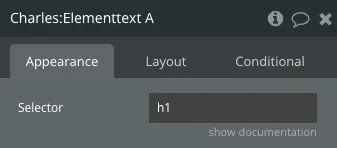
1. Place the `Charles: Element text` element on the page
2. Give it a value for the selector that matches the element you want to select, eg. `h1` for the h1 title element:
Please note that Charles will automatically select the first element that matches the selector.
Learn more about CSS selectors:
*
*
*